Forge Your First Funscript
Load a script, pick your device and tone, and export an improved funscript. Four tabs, five minutes.
Before you start
- FunscriptForge is installed and open in your browser (Install)
- You have a
.funscriptfile on your computer
Step 1 — Create a project
Open the Project tab (it's selected by default).
- Desktop app: click Browse next to the funscript path field and pick your
.funscriptfrom disk. A demo file is preloaded so you can try the pipeline right away. - Browser mode: drag and drop your
.funscriptonto the upload area.
You'll see:
- A waveform chart showing the full motion structure
- A stats row: duration, action count, average speed, position range
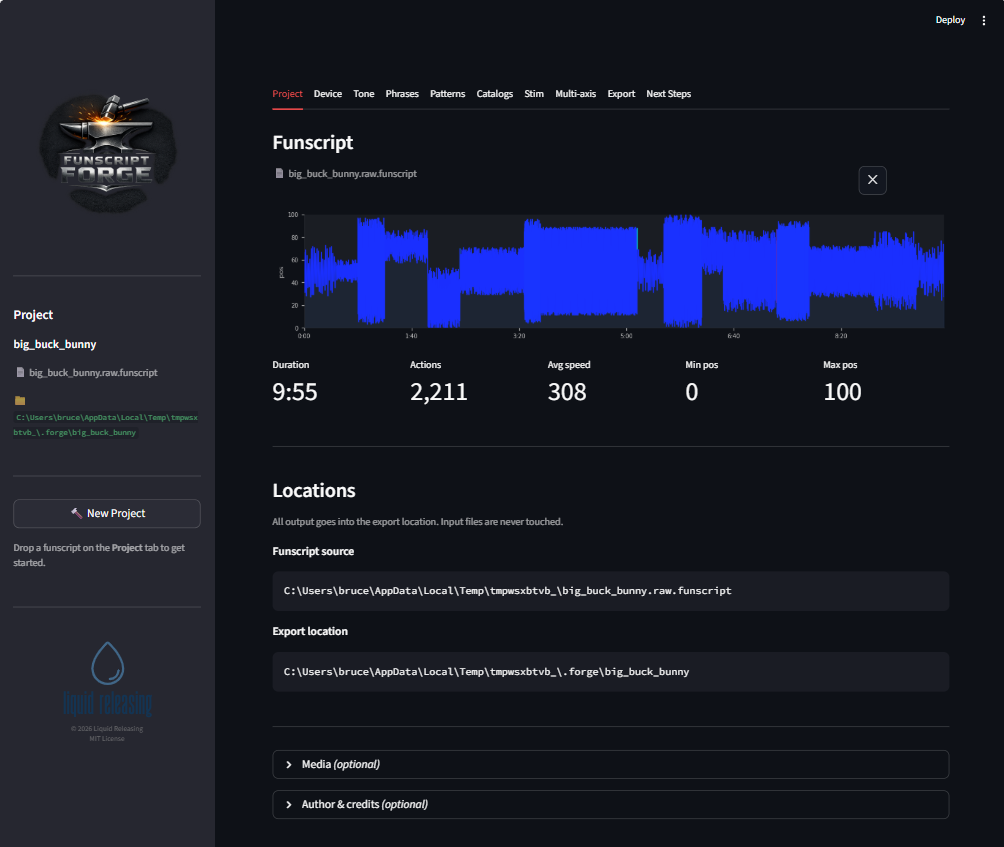 Drop your funscript and see its motion structure instantly.
Export location is auto-filled based on your filename. Change it if you want.
Media (optional) — expand to add your matching video, alternate audio, or captions. FunscriptForge uses these for beat detection and synchronized playback during editing.
Click Accept. FunscriptForge analyzes your funscript:
Saved to my-scene.forge
Beat data: 142 beats, ~128 BPM
Funscript: 12 phrases, 8 patterns, ~115 BPM
Assessment saved
When it finishes, move to the Device tab.
Step 2 — Pick your devices
On the Device tab, check the devices you own:
- Mechanical: The Handy, OSR2/SR6, Intiface (generic)
- Estim: Legacy 2b/312, Stereostim, FOC-Stim, NeoStim
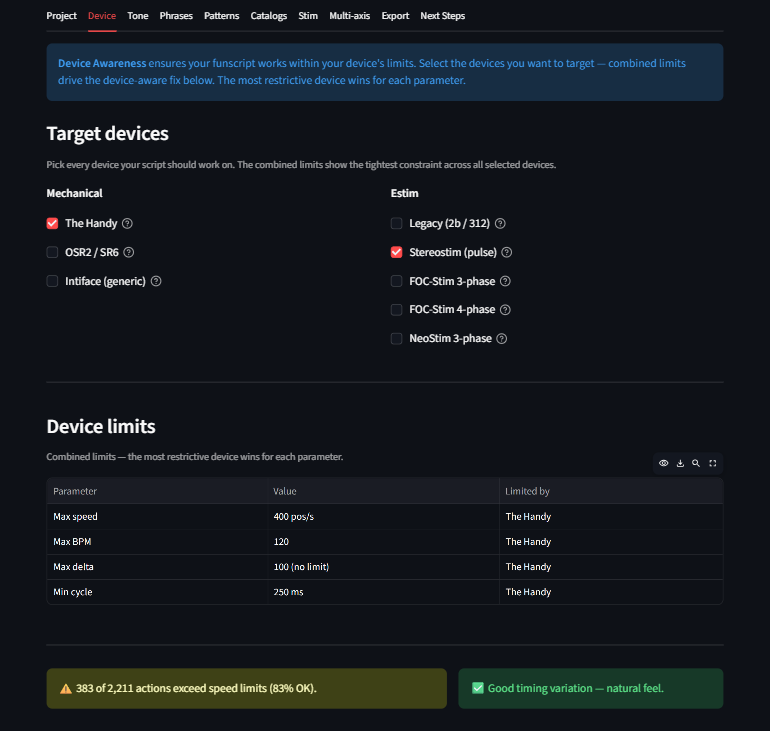 Check your device. FunscriptForge shows its limits and applies a safety backstop.
FunscriptForge shows a device limits table and a side-by-side preview (original vs. device-aware). The Groove slider adds natural timing variation — 0.35 matches expert hand-scripted scripts.
Click Accept. Your funscript is now device-safe.
Step 3 — Choose a tone
On the Tone tab, pick how your output should feel. Six tones from softest to most intense:
| Tone | What it does |
|---|---|
| Tender | Slow, shallow, intimate |
| Build | Intensity ramps up over time |
| Tease | Rises then pulls back |
| Edge | Sustained high intensity |
| Climax | Maximum everything |
| Dominant | Fast, wide, relentless |
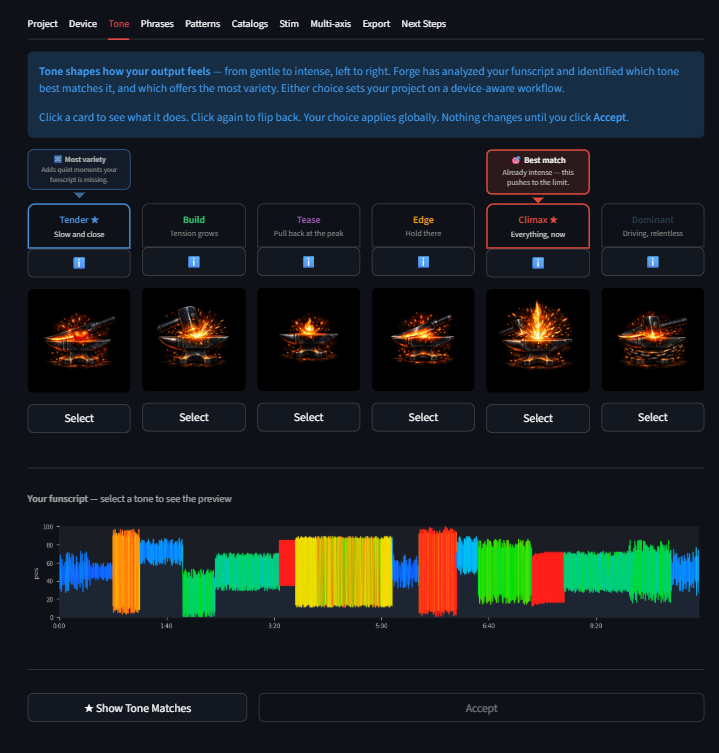 FunscriptForge suggests two tones. Pick one, or browse all six.
FunscriptForge suggests a Best match and a Most variety tone based on your funscript's motion profile. Click a card to read its description, then click Select.
Adjust the Impact slider if the tone is too strong. The before/after preview updates live.
Click Accept.
Step 4 — Export
On the Export tab, you'll see:
- Export preview chart — your funscript with all changes applied
- Export options — blend seams, final smooth, heatmap, audio WAV (if estim selected)
- Completed transforms — what you changed (tone in this case)
- Recommended transforms — auto-suggestions for individual phrases
For your first export, accept the defaults. Click Export All.
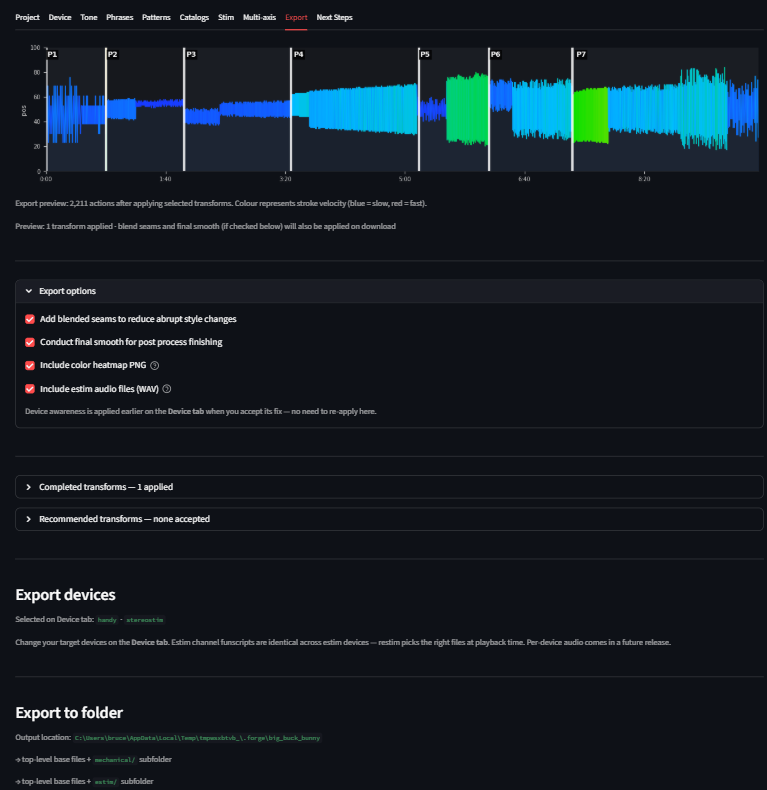 Export writes device-specific files to your output folder.
FunscriptForge writes a self-contained folder:
{output_folder}/
  myscript.funscript            <- base funscript
  myscript.heatmap.png          <- velocity heatmap
  mechanical/
    myscript.funscript          <- device-safe for Handy / OSR / Intiface
  estim/                        <- only if estim devices selected
    myscript.alpha.funscript
    myscript.beta.funscript
    myscript.legacy.wav         <- ready-to-play audio
    ...
Click Open folder to see your files. Load the mechanical funscript in your player. Done.
What just happened
In four tabs you:
- Loaded your funscript and ran structural analysis (phrases, patterns, BPM, behavioral tags)
- Applied device awareness — velocity capping, groove, safety backstop
- Chose a tone — shaped the entire funscript's dynamics with one selection
- Exported device-specific files ready for your player
That's the core workflow. For most funscripts, this is all you need.
Going deeper
| I want to... | Go to... |
|---|---|
| Edit individual phrases | Phrase Editor |
| Batch-fix all phrases of a type | Pattern Editor |
| Learn every transform | Transforms |
| Generate estim channels | Stim tab |
| Add multi-axis motion | Multi-axis |
| Understand the vocabulary | Glossary |
Troubleshooting
Something unexpected? Troubleshoot loading a script